
Under sources, choose your game audio.
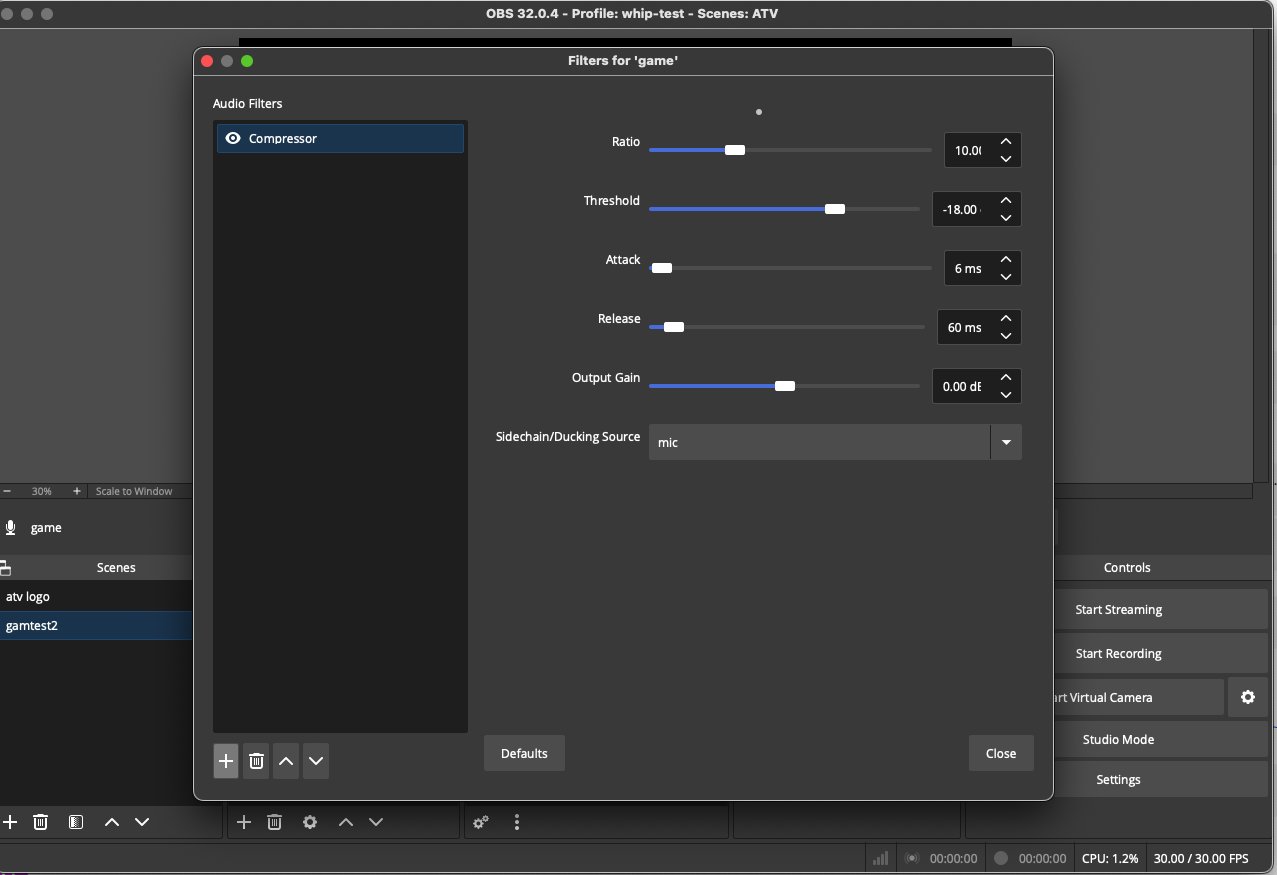
In the bar above the sources, click filters.
Click the + icon bottom right to add a filter.
From the dropdown of available filter types, click Compressor.
In the properties for the compressor filter, at the bottom of the list, choose your microphone source under "ducking source".
This will make it so your game volume lowers when you speak.
You need to do this only for your own streams-- when we stream on the rampancy channel we have it so all of our mics do this for any active game source.
| Attachment | Size |
|---|---|
 compressor.png compressor.png | 177.51 KB |
platform: